Budgeting without bank linking
Budget on your own terms. No bank connection required.
Bottomline never asks for your bank credentials. You log spending yourself, the app keeps a daily budget and your recurring bills in view, and your budget works the same whether you pay by card, cash, or a bank no aggregator supports.

Bank-linked budgeting has real friction
Connected accounts sound convenient until the connection breaks, transactions arrive a day or two late, or your bank simply isn’t supported by the aggregator. Cash spending never shows up at all. And many people are uneasy handing bank credentials to a third party just to see where their money goes.
A manual workflow you fully control
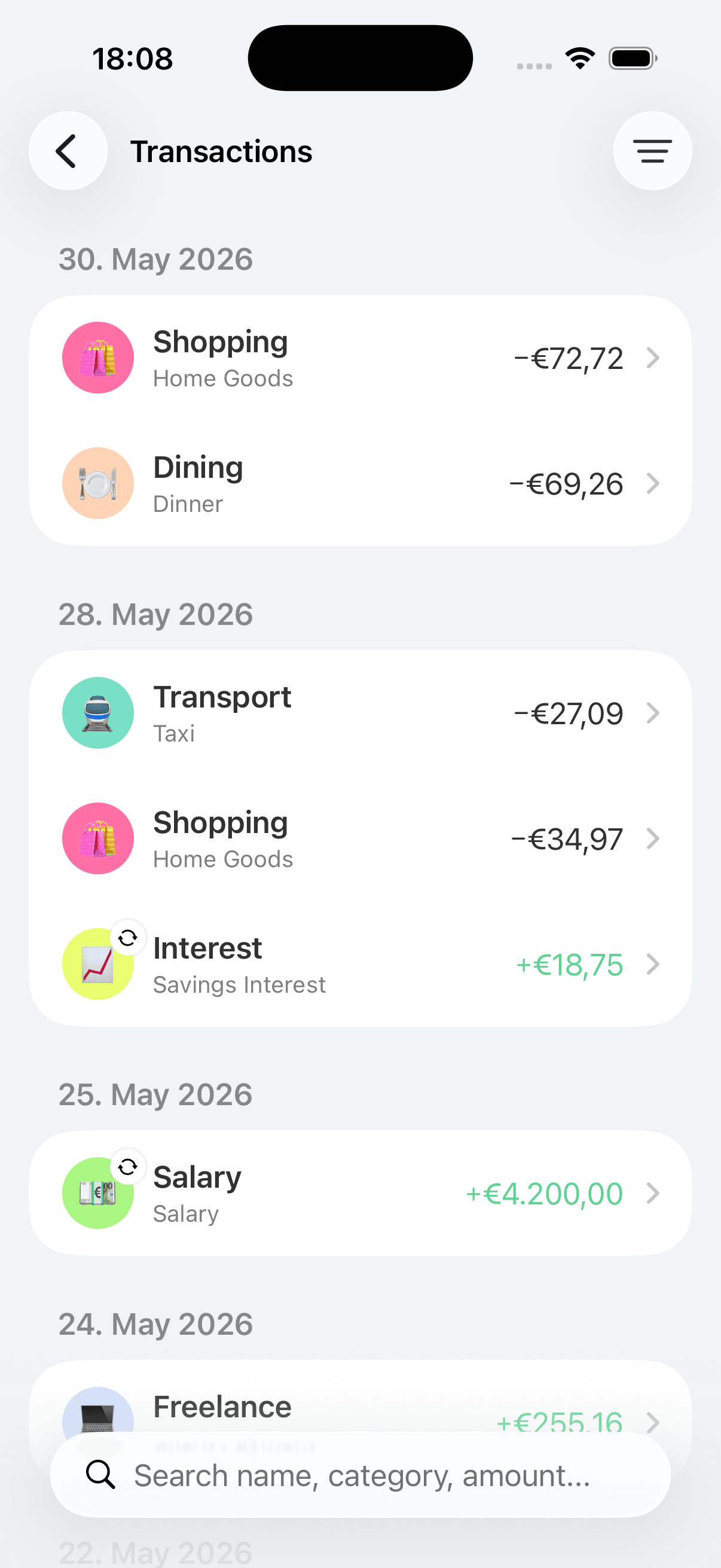
Bottomline is built around entering expenses yourself, which takes about three taps. There’s no sync to wait for and no connection to repair: the moment you log a purchase, your budget reflects it. The honest trade-off is that you do the typing — but for many people, that small effort is exactly what keeps the budget intentional.
What budgeting looks like without a bank connection
Three-tap expense entry
Logging a purchase takes about three taps, so the manual workflow stays fast enough to do at the till or right after. No imports to wait for, no pending transactions to reconcile.
Works with any bank — or no bank
Because nothing is connected, it doesn’t matter where your money sits. Cash, a small local bank, multiple accounts, a card abroad: if you spent it, you can log it.
Recurring expenses without imports
Set up rent, utilities, and subscriptions once as recurring expenses. Bottomline keeps them visible in your budget without needing to detect them from a transaction feed.
A daily budget that is always current
Your daily spending number reflects what you’ve actually logged, not what has cleared at the bank. There’s no two-day lag where the budget looks healthier than it is.
Your data, exportable
You can export your data from settings whenever you like. A manual budget you built yourself shouldn’t be locked inside the app that holds it.
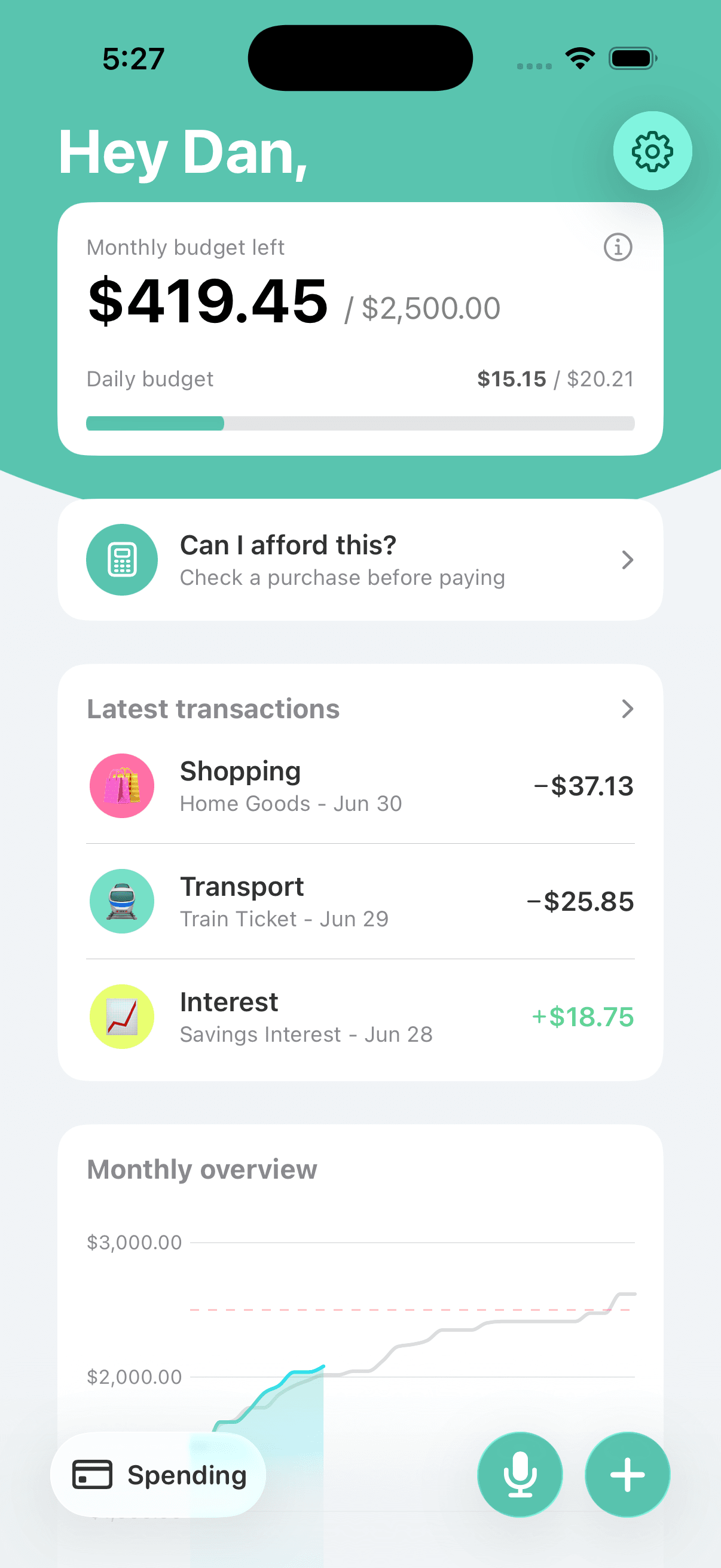
The whole workflow on one screen
Check what’s left, log what you spent, and see your recurring commitments — all without a single account connection.
Frequently asked questions
Does Bottomline ever ask for bank credentials?
No. There is no bank-linking step anywhere in the app. Bottomline has no way to read your accounts because it never connects to them — everything in your budget is something you entered.
What do I give up by not linking my bank?
Automatic transaction import. If you want every card purchase to appear without effort, a bank-linked app is the better fit. With Bottomline, you trade that automation for control, immediacy, and a workflow that works with any bank and with cash.
Does manual budgeting work if I mostly pay cash?
Yes, and arguably better than bank-linked apps do. Cash is invisible to transaction feeds, but in Bottomline a cash purchase is logged exactly like a card one — about three taps.
What happens if I switch banks?
Nothing. Since no accounts are connected, changing banks, opening a new account, or using several at once has no effect on your budget. You keep logging spending the same way.
Isn’t entering everything by hand a lot of work?
Less than it sounds. Recurring bills are set up once, so day to day you’re only logging variable spending — usually a handful of entries at three taps each. Most people spend under a minute a day on it.
Related Bottomline pages
- Manual expense tracker for iPhoneHow the logging habit actually works day to day, and why entering expenses yourself changes how you spend.
- Daily budget appThe math behind the daily number your manual entries feed into.
- Private budget appThe data side of the same decision: where your financial data lives when no bank is connected.
- SupportSetup questions, sync, export, and everything else about using Bottomline.
Keep the bank out of your budgeting app.
Download Bottomline from the App Store and run a budget you control end to end — no credentials, no sync delays, no broken connections.