Manual expense tracking
The act of logging is the point.
Bottomline is a manual expense tracker for iPhone built around a simple habit: you record each purchase yourself, in about three taps. That small moment of attention is what most automated tools quietly remove.

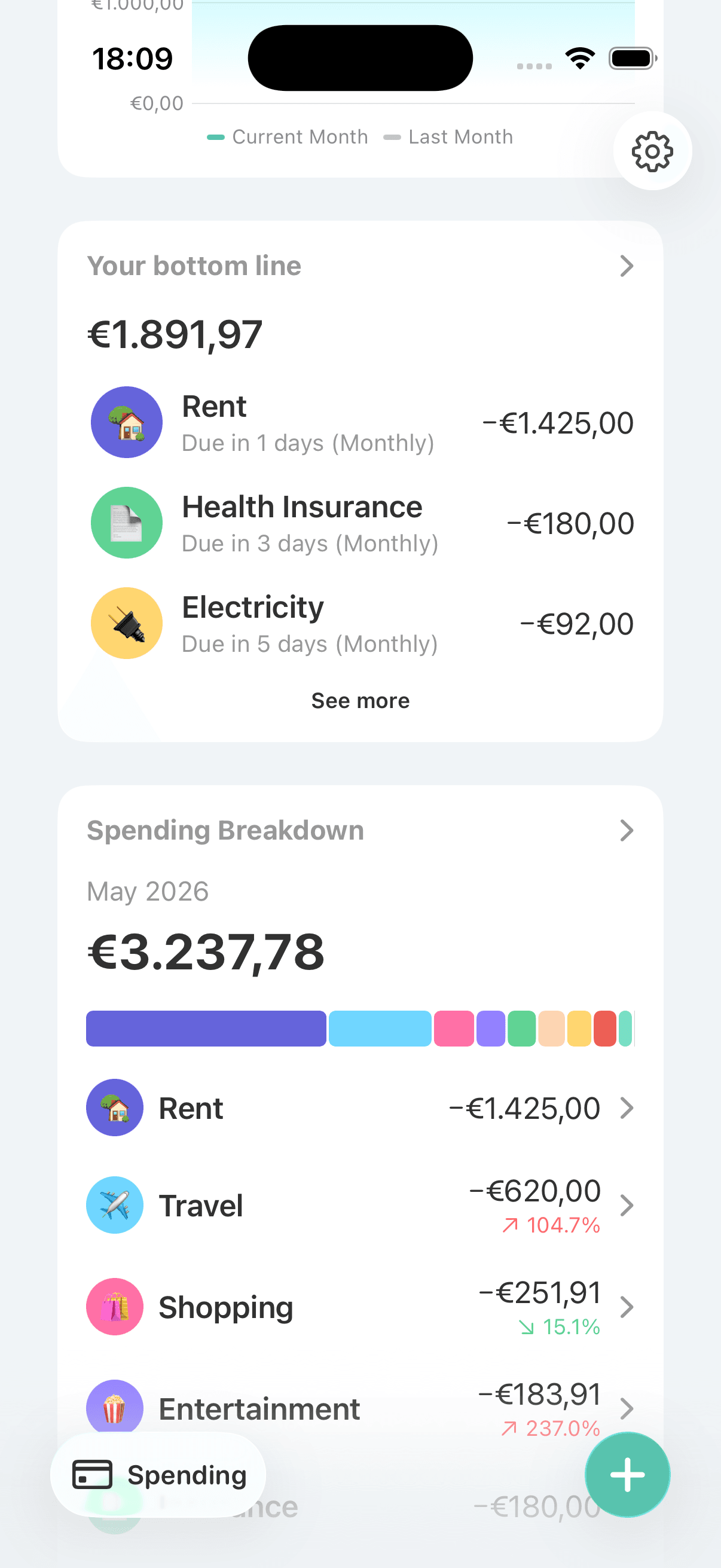
Spending you never look at is spending you repeat
When transactions flow in automatically, it’s easy to stop noticing them. The purchase happens, the data appears somewhere, and nothing in the moment connects the two. Many people who “track everything” automatically still can’t say where last month’s money went.
Manual entry builds awareness into the purchase
Entering an expense yourself takes seconds, but it forces a brief, useful pause: what was this, and which category does it belong to? Done daily, that pause becomes a habit, and the habit is what changes spending. Bottomline keeps the entry fast enough that the habit survives real life.
Tools that make the habit stick
Quick transactions in 3 taps
A habit only sticks if it’s nearly effortless. Bottomline keeps expense entry to about three taps, so logging a coffee takes less time than ordering it did.
Simple categories with names and emoji
You can create custom categories with your own names and an emoji, but the best setups stay small. A handful of categories you actually use beats twenty you have to think about at every entry.
A daily number as instant feedback
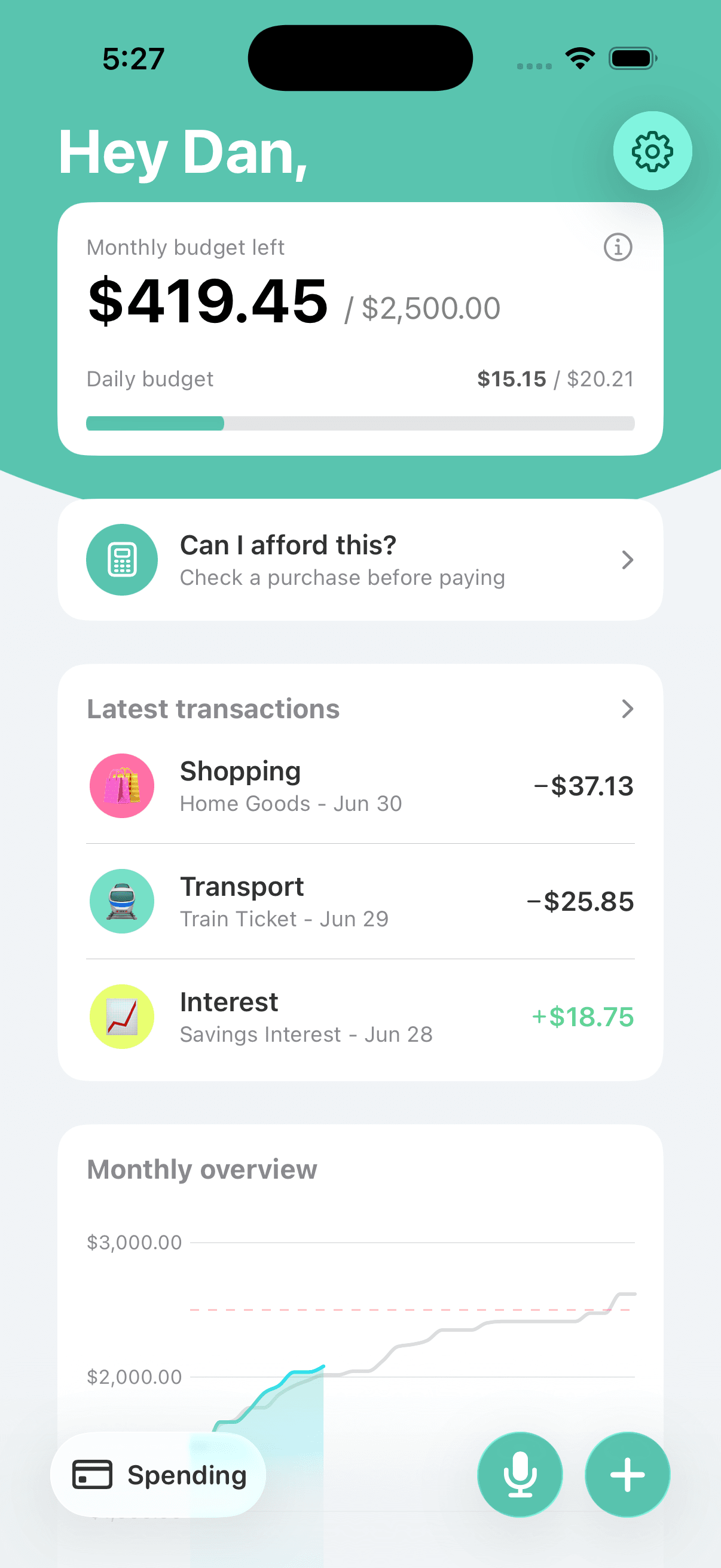
Every entry updates your daily budget, so the habit pays off immediately. You log, you see what’s left for today, and the loop closes in seconds.
Recurring expenses handled once
Bills and subscriptions are set up one time as recurring expenses, so your daily logging covers only variable spending. The habit stays light because it never includes busywork.
Category insights for the look-back
Monthly breakdowns and yearly trends per category turn weeks of small entries into an honest picture. The daily habit feeds it; the review is where you spot patterns.
Built for a one-minute daily check-in
Open the app, log what you spent, glance at where the month stands. The whole routine fits in the time it takes a kettle to boil.
Frequently asked questions
Doesn’t manual expense tracking get tedious?
It can — which is why entry speed matters so much. At about three taps per expense, most days take under a minute total. Recurring bills are excluded from the daily work entirely, since they’re set up once.
What if I forget to log something?
It happens, and a missed entry doesn’t ruin the budget. A short daily check-in — same time each day, like with morning coffee — catches yesterday’s stragglers. The routine matters more than perfection.
How many categories should I start with?
Fewer than you think. Five to eight broad categories cover most lives: groceries, eating out, transport, fun, and so on. You can always split a category later once the habit is solid; starting complicated is how tracking dies in week two.
Does entering expenses by hand actually change spending?
For many people, yes. The brief pause of typing an amount makes the purchase concrete in a way a silent bank import never does. Awareness isn’t a feature you can automate — it comes from the act itself.
Where do my entries go over time?
They build into category insights: monthly breakdowns and yearly trends that show where money actually goes. A few weeks of honest logging usually surprises people more than any bank statement did.
Related Bottomline pages
- Daily budget appWhat your daily entries feed into: a single number that tells you what’s safe to spend today.
- Budgeting app without bank linkingWhy choosing manual over automatic is a workflow decision, not just a missing feature.
- Subscription tracker for iPhoneHow recurring expenses keep bills out of your daily logging routine.
- SupportAnswers to common questions about categories, entries, and setup.
Start a habit that takes a minute a day.
Download Bottomline and log your first expense in about three taps. The awareness comes from doing it — the app just makes doing it easy.