Choosing a budgeting app
The best budgeting app is the one that matches how you work.
Every list of “best budgeting apps” skips the real question: do you want your spending imported automatically, or do you want to log it yourself? Answer that first, and the field narrows itself.

Two philosophies, usually compared as if they were one
Bank-linked apps connect to your accounts and pull transactions in automatically: minimal effort, maximum coverage, at the cost of sharing credentials, depending on sync connections, and reviewing spending after the fact. Manual apps ask you to log each expense yourself: more effort, but full control, immediate feedback, and no accounts shared.
Pick the philosophy, then the app
If you want a complete record with zero typing, choose a bank-linked app — Bottomline will frustrate you, because it has no transaction import at all. If you want budgeting to be a small daily practice, with your data in your own custody and a clear number for today, Bottomline is built for exactly that: manual entry, a daily budget, recurring expenses, and optional iCloud sync.
What Bottomline brings to the comparison
Manual entry as a feature, not a gap
Logging takes about three taps, and that small act is the mechanism: it keeps every purchase a conscious one. If that sounds like a chore rather than a feature, that’s a genuine signal you’d be happier with automatic import.
A daily budget number
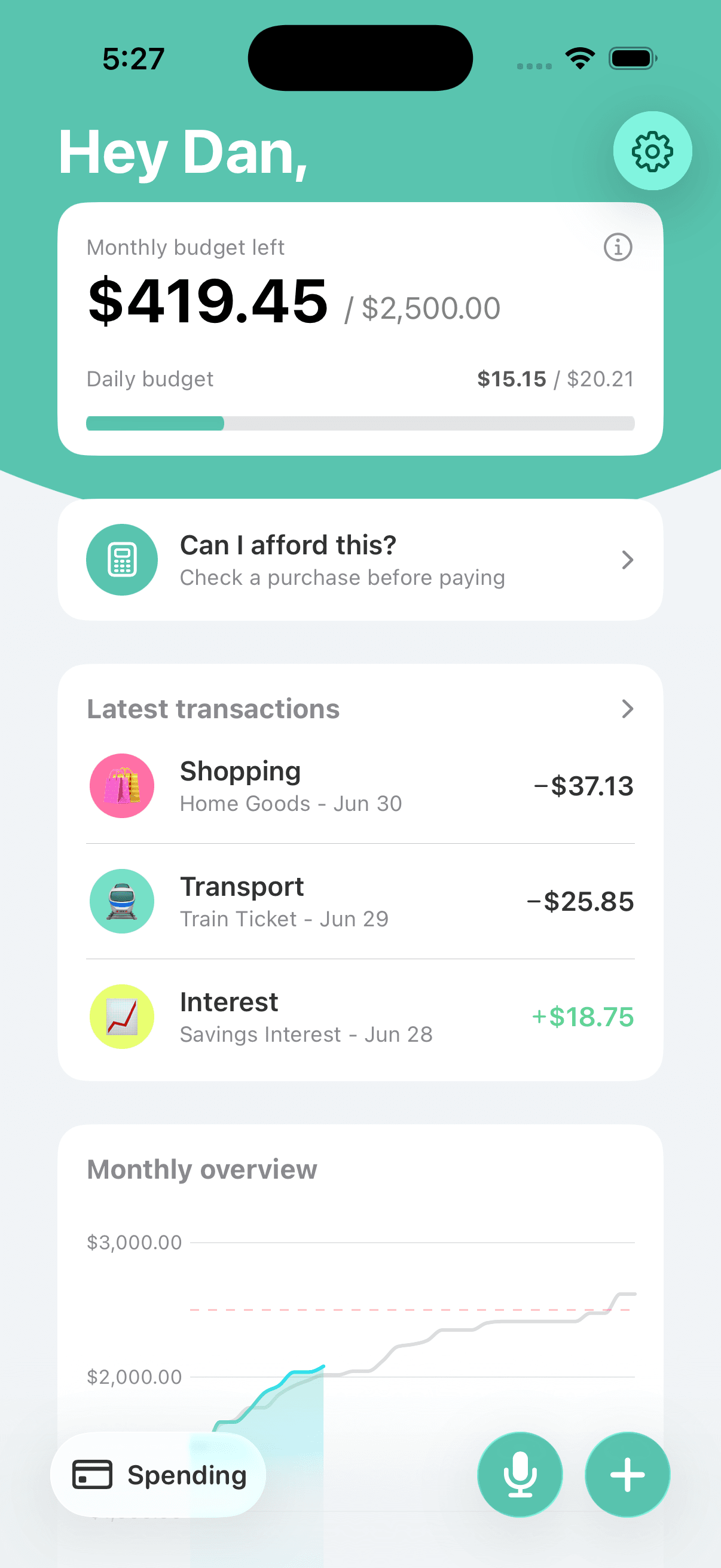
Bottomline turns your monthly plan into what’s safe to spend today. Apps oriented around reviewing imported transactions tell you what happened; a daily number helps decide what happens next.
Recurring expenses built in
Bills and subscriptions are set up once and stay visible, so manual tracking never means re-entering rent. Only variable spending needs your daily attention.
A clean privacy posture
No bank credentials are ever requested, and the privacy policy says data stays on-device or in your personal iCloud and is never sold. With bank-linked apps, some level of data sharing is structurally part of the deal.
Simple by intention
Made by a solo indie developer for one platform — iPhone — with a subscription managed through your Apple ID. No feature sprawl, no dashboard you need a tutorial for.
Judge it by the everyday screen
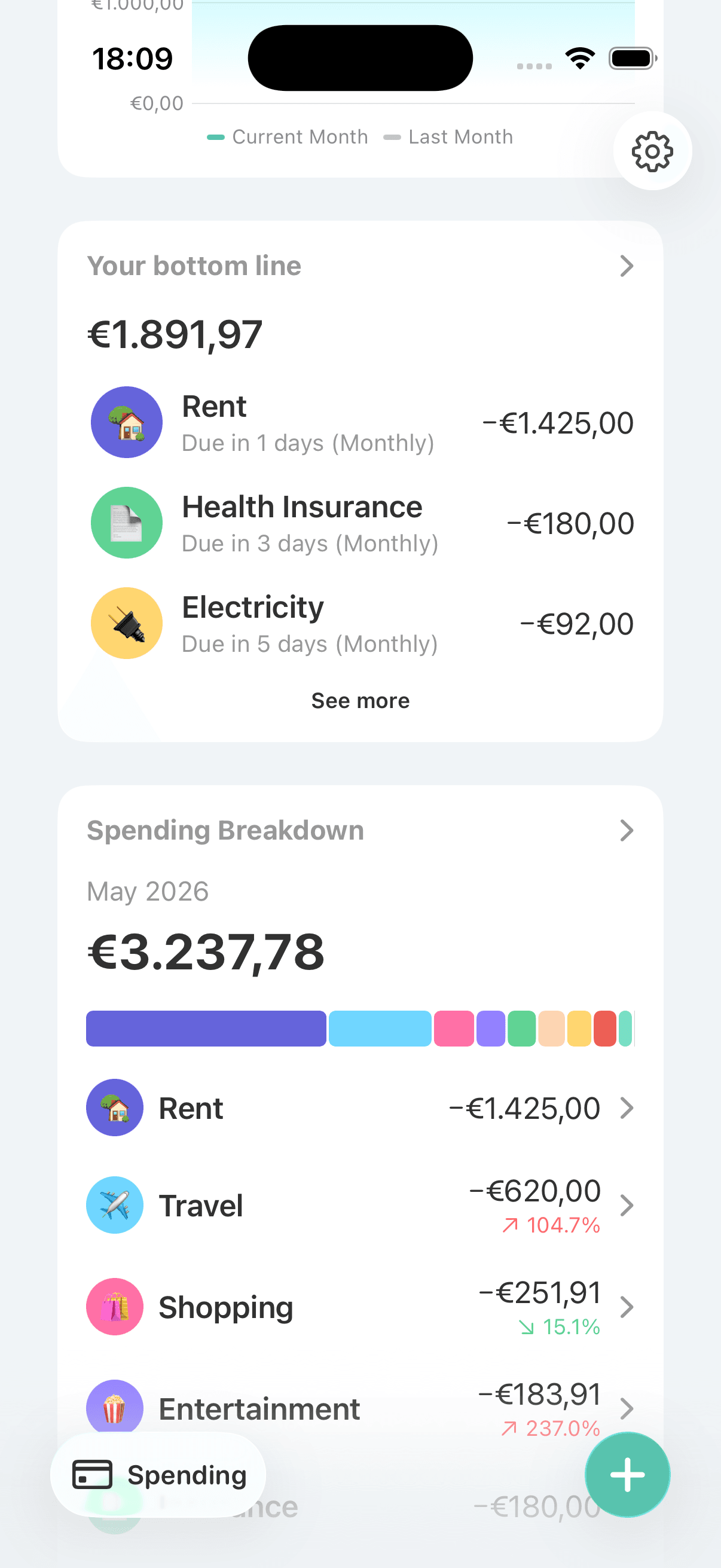
The honest test of any budgeting app is the screen you’ll see daily. Bottomline’s shows what you spent, what recurs, and what’s left.
Frequently asked questions
Is Bottomline the best budgeting app for iPhone?
For some people, genuinely yes; for others, genuinely no. It’s the better fit if you want manual control, a daily spending number, and your data kept in your own custody. It’s the wrong fit if you want transactions imported automatically — no manual app wins that comparison.
Who should not choose Bottomline?
Anyone who knows they won’t log expenses by hand. If past tracking attempts died because entering data felt like work, a bank-linked app that imports everything automatically will serve you better than willpower will.
What criteria actually matter when choosing?
Four cover most of it: how spending gets in (automatic import vs. manual entry), where your data lives (company servers vs. your device and iCloud), what the app centers on (reviewing the past vs. a number for today), and whether the complexity matches your patience.
Can I try the manual approach without being locked in?
Yes. Bottomline lets you export your data from settings, and the subscription is managed through your Apple ID like any App Store subscription, so it’s cancelled the standard way.
Why doesn’t Bottomline just add bank import as an option?
Because the two philosophies pull in opposite directions. Bank import means credentials, aggregator dependencies, and a server-side footprint — the exact things a manual, on-device app exists to avoid.
Related Bottomline pages
- Budgeting app without bank linkingA closer look at the manual philosophy: what you gain and what you honestly give up.
- Daily budget appThe worked math behind Bottomline’s daily spending number — its core decision tool.
- Private budget appIf data custody ranks high in your criteria, this is the page to read next.
- Manual expense tracker for iPhoneWhat the three-tap logging habit feels like in practice before you commit to it.
If manual is your answer, try Bottomline.
Download Bottomline from the App Store and see whether a three-tap habit and a daily number fit the way you actually budget.