Subscription tracking
See every renewal before it sees your card.
Subscriptions are designed to be forgettable — that’s how they keep charging you. Bottomline puts your recurring costs in the same view as your daily spending, so renewals stop being surprises.

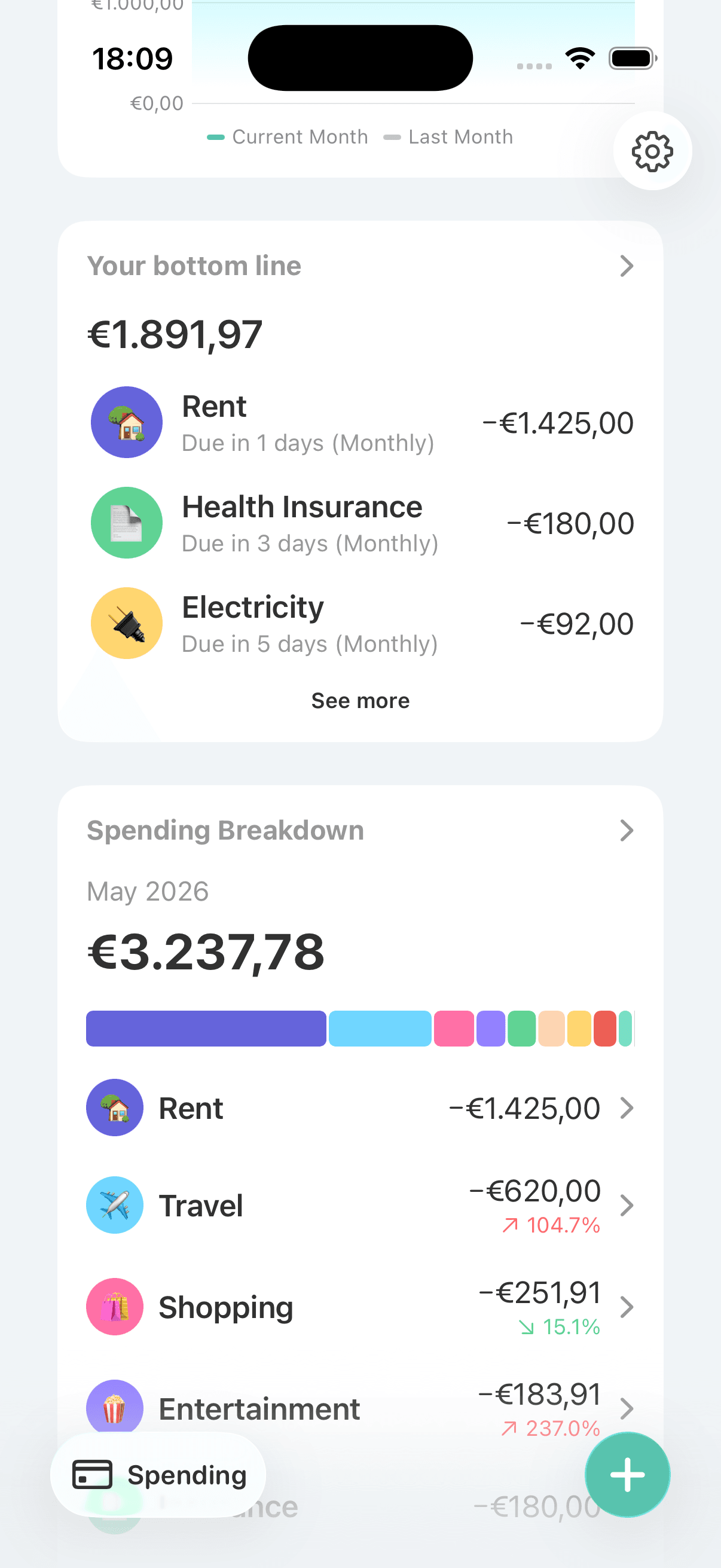
Subscription creep is slow and quiet
A streaming service here, a fitness app there, an annual renewal you agreed to fourteen months ago. Each one is small, but together they can quietly claim a meaningful slice of your income. Annual charges are the worst offenders: by the time the charge lands, you’ve usually forgotten what it’s even for.
Make recurring costs impossible to ignore
In Bottomline, every subscription and bill lives as a recurring expense, visible at a glance alongside your everyday spending. Listing them once is itself a useful audit — most people find at least one they’d forgotten — and keeping them on screen is what stops the list from quietly growing again.
Keep every renewal where you can see it
Recurring expenses for every commitment
Add each subscription and bill once and Bottomline keeps it in your budget every cycle. Annual renewals get the same treatment as monthly ones, so the once-a-year charges stop ambushing you.
An at-a-glance view of what’s coming
Your upcoming financial commitments sit in one place. Before a renewal hits, you can see it coming — which is exactly the window where cancelling is still an option.
Recurring costs next to daily spending
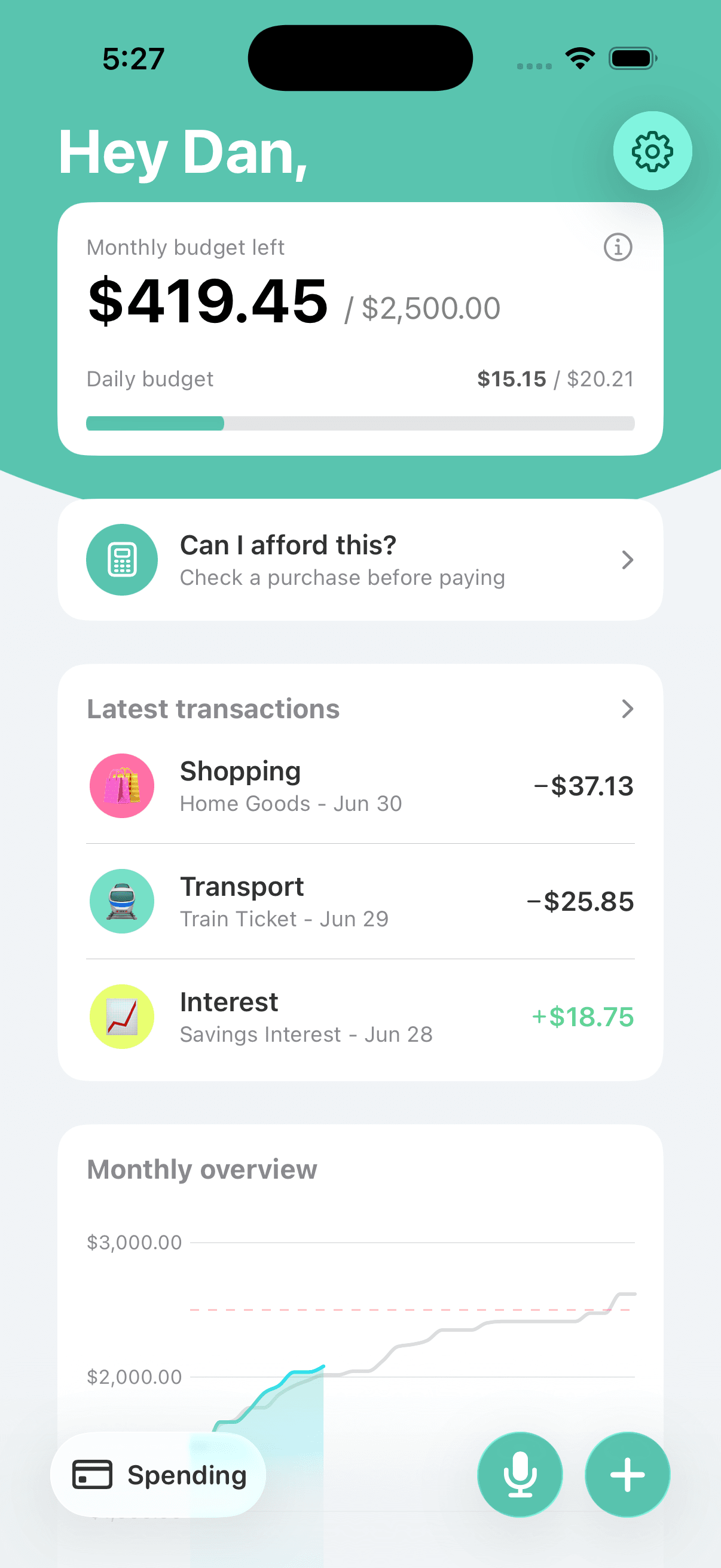
A subscription list in isolation is easy to shrug at. Seeing $100 of monthly subscriptions next to a $40 daily budget makes the real trade visible: that list costs you two and a half days of spending money every month.
Categories that group your subscriptions
Put streaming in one category and software in another, with custom names and emoji. Insights then show how each group trends over months and years — which is how you catch creep early.
The full recurring picture
Bottomline shows where regular costs fit in your spending, so subscription decisions are made with the whole budget in view.
Frequently asked questions
Can Bottomline track annual subscriptions?
Yes. Recurring expenses cover yearly renewals as well as monthly ones. Annual charges are the easiest to forget and often the largest, so getting them into the app is usually the highest-value part of setup.
Does Bottomline detect my subscriptions automatically?
No — there’s no bank connection, so nothing is scanned or detected. You add each subscription yourself, which sounds like a downside but works like an audit: going through your statements once to list them is how most people find the ones they forgot.
Can Bottomline cancel a subscription for me?
No. Cancelling happens with the provider, or in your Apple ID settings for App Store subscriptions. Bottomline’s job is the step before that: making sure you notice the charge exists and decide whether it still earns its place.
How do I do a subscription audit?
Go through one or two months of statements and add every recurring charge to Bottomline as you find it. Then look at the total next to your daily budget and ask of each item: would I sign up for this again today? Cancel the ones that fail the question.
Do subscriptions affect my daily budget?
Yes, in the right direction. Recurring costs are part of your monthly plan, so they’re accounted for before your flexible daily number is set. Cutting a subscription shows up as real extra room in everyday spending.
Related Bottomline pages
- Daily budget appSee how recurring costs feed into the daily spending number — and how much each cancelled subscription gives back.
- Budgeting app without bank linkingWhy Bottomline lists subscriptions manually instead of scanning a bank feed for them.
- Manual expense tracker for iPhoneRecurring costs handled, your daily logging covers only the variable spending.
Audit your subscriptions this week.
Download Bottomline, list every recurring charge, and see what your subscriptions really cost next to your daily budget.